
Fog of World
OllixTravel & Local
3.692.00 Reviews
- Version
- 3.7.2
- Installs
- 10.00K
- Age Rating
- Everyone
Screenshots
Our Review of Fog of World
 Analysis by Appyee
When I want a familiar walk to feel a little less automatic, I like having a reason to notice streets I usually pass without thinking. Fog of World gives that small nudge by turning places I visit into a map of my own exploration. It’s a travel and local app from Ollix, but I find it most interesting as a personal record: the map makes my movements visible in a way that a list of destinations rarely does.
A map that rewards curiosity
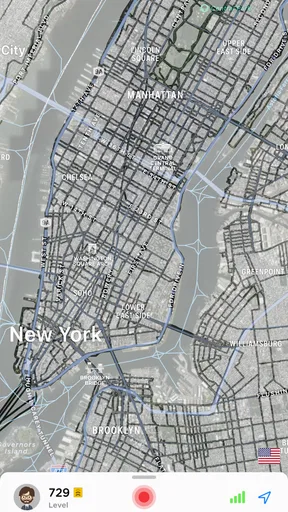
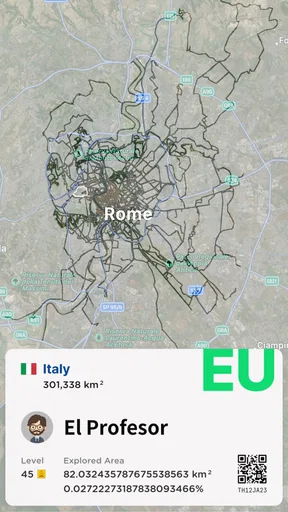
The central idea is easy to understand: places I have yet to explore appear covered, and as I travel, the covered areas clear. That visual change is the appeal. A normal map helps me get somewhere; this one gives me a reason to look at the route itself and notice how much of my surroundings remain unfamiliar. The reward is not a badge or a complicated challenge, but seeing the map gradually take shape through places I have actually visited.
That changes how I think about a routine trip. If I have time before meeting someone, I might choose a nearby street I do not know instead of repeating my usual route. On a visit to a new city, I can look at the map afterward and see the areas my day took me through, rather than relying only on memory. The useful distinction is that the app makes exploration the goal, not navigation. It can encourage me to be more attentive, but it is not a substitute for directions or a travel planner.
What using it asks of you
In practice, the experience depends on recording where I go. Location tracking is what allows the fog to lift, so I need to think about when I want the app to follow a walk or outing and how that fits into my phone use. A long day of wandering can be satisfying to look back on, but continuous GPS use can also affect battery life. I would bring a charger or power bank on an all-day trip rather than assume the phone will have plenty of charge left.
The first few sessions may also take a little patience. The basic concept is immediate, but understanding the app’s different views and statistics takes longer. I would start with a short walk, check what the map records, and then decide how I want to use it on a longer outing. That makes it easier to tell whether the tracking is capturing the sort of exploration I care about instead of turning a casual stroll into a settings exercise.
Who will enjoy the blank spaces
I think this works best for people who enjoy maps, walking, or collecting a visual record of where they have been. It can suit a traveler who likes to explore beyond the main sights, but it also has a place in ordinary life: a different route home, a weekend walk, or a neighborhood that I have lived near without really getting to know. In those cases, the map gives a small, personal payoff for choosing curiosity over habit.
It is less compelling if all I need is the quickest route from A to B, turn-by-turn directions, or a conventional itinerary. The app’s purpose is not to tell me what to visit next, and the novelty of clearing more map can fade if I treat it as a score to chase. I would use it alongside the tools I already rely on for navigation, not instead of them. Its 3.6 average from around 560 ratings suggests opinions are mixed, so I would weigh its distinctive idea against the cost before committing.
Turning Exploration into a Game
At its core, Fog of World combines the thrill of exploration with the addictive nature of gaming. The idea is simple but brilliant: as you move around in the real world, the app maps your journey and "unfogs" the areas you’ve visited. It’s like filling in a blank canvas with your personal travel history.
The app tracks your location using GPS and overlays a fog on the map, which slowly disappears as you visit new places. It’s incredibly satisfying to watch the fog recede, revealing the places you’ve been. This feature not only makes traveling more engaging but also encourages you to explore new territories.
Features that Stand Out
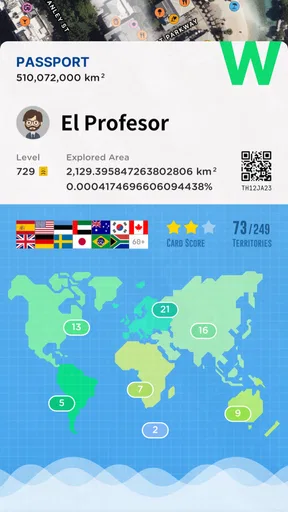
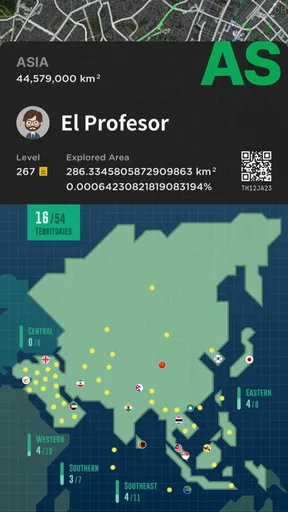
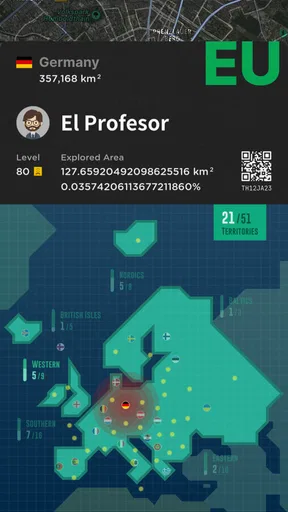
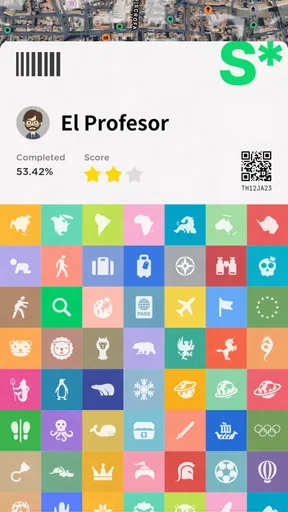
One of my favorite aspects of Fog of World is its ability to keep track of your travel stats. You can view detailed statistics about the areas you’ve explored, how much of the world you’ve uncovered, and even the distance you’ve traveled. It’s a neat way to quantify your adventures and set new goals for yourself.
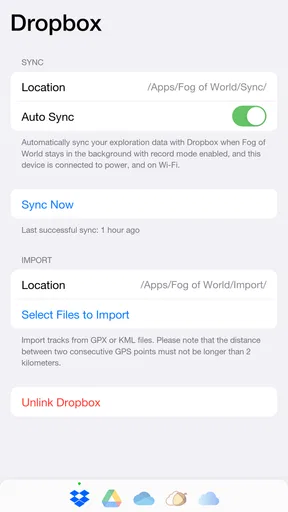
Another cool feature is the ability to sync your data across devices. This means you won’t lose your progress if you switch to a new phone. Plus, you can share your achievements with friends or on social media, which is perfect for bragging rights!
The User Experience
Using the app is pretty straightforward. The interface is clean and intuitive, making it easy to navigate. However, there’s a bit of a learning curve when it comes to understanding all the features. But once you get the hang of it, it’s smooth sailing.
One thing to note is that the app can be a bit of a battery drainer, as it constantly uses GPS to track your location. So, if you’re planning a long day out, make sure to carry a power bank.
Also, while the app is available on both Android and iOS, the experience might slightly differ between the two platforms. I found the iOS version to be a bit more polished, but the Android version is catching up quickly.
Why You Should Try It
If you love traveling or even just enjoy a good walk around your neighborhood, Fog of World is worth trying out. It adds a layer of fun to your journeys and gives you a new perspective on the places you visit. You might find yourself taking the longer route just to see more of the fog lift.
Moreover, it’s a great tool for keeping a personal record of your travels without having to manually track your movements. The app does all the heavy lifting, letting you focus on the adventure itself.
On Android, it is rated for Everyone, has reached over ten thousand installs, and is currently version 3.7.2, with Android 8.0 as the minimum requirement. It costs $29.99, which makes it a considered purchase rather than a casual download. The app was released on December 27, 2018, and has around 90 written reviews. I would think of that price as payment for a particular kind of ongoing map journal, not a general travel toolkit; if I only wanted directions or occasional trip planning, I would choose a standard mapping app instead.
Making the map useful beyond the novelty
A practical way to get more from the map is to give each outing a simple purpose. I might take a familiar bus route but get off a stop earlier and walk through a nearby district, or use a free hour on a trip to explore streets just outside the busiest attraction area. The goal is not to wander without direction; it is to leave enough room in the plan for a small detour and then use the map to remember where that detour led.
For a weekend visitor, that can make the app a useful companion to a conventional map. I would use the conventional tool to find the museum, station, or meeting point, then let this app record the less planned parts between them. That division of labor matters: a discovery map can make a journey more memorable, but it should not be the only tool I consult when I need reliable directions or have a time-sensitive appointment.
There is also a difference between a map that records a trip and a map that helps me understand it. The cleared areas can show the shape of my day, while the travel statistics offer another way to look back at the places and distance involved. I find that most valuable after the outing, when I can compare what I thought I explored with the actual footprint of the route. It is a personal reflection aid, not a detailed travel diary, so I would not expect it to explain why I stopped somewhere or what I saw there.
Small habits that prevent disappointment
Because the experience depends on location tracking, I would make a quick check before setting off: confirm that the app is ready to record, and make sure I have enough battery for both the outing and the phone tasks I cannot skip. This is especially sensible on a long sightseeing day, when maps, photos, messages, and GPS can all compete for power. I would not leave tracking running casually when I do not want a record of a particular journey; being intentional about when I use it keeps the map meaningful and helps avoid treating every movement as a quest.
If I am trying a new neighborhood, I would begin with a route that has a clear endpoint, such as a café or transit stop, and add a short exploratory loop nearby. That gives me a manageable first test of the app and lets me see whether the map captures the kind of outing I had in mind. If the record is not what I expected, I can adjust how I use it before relying on it for a longer trip. For a new phone, the app’s sync feature is reassuring, though I would still make sure my progress has synced before changing devices rather than assuming a transfer has happened automatically.
The same restraint applies to sharing. Posting an achievement may be fun for friends who enjoy maps, but a personal movement record can reveal more about routines than a single holiday photo. I would share selectively and keep the app’s value for myself at the center. The feature works perfectly well as a private motivation; I do not need an audience or a competition to enjoy seeing familiar blank spaces disappear.
Choosing it for the right reason
Among travel apps, the usual alternatives focus on practical jobs: finding a route, saving places, planning a schedule, or checking nearby services. This app occupies a narrower niche. Its distinctive value is the visual record of where I have physically explored, and that is a genuinely different reason to open a map. If I mainly want a dependable route planner, a free or familiar navigation option is the sensible choice. If I enjoy seeing my own travel history accumulate and can justify the one-time price for that experience, this is much more appealing.
The paid entry point also makes expectations important. I would not buy it simply because I am taking one trip, unless the idea of keeping a personal exploration map is itself part of what I want from the trip. Someone who walks regularly, revisits cities, or enjoys slowly learning the layout of a neighborhood is more likely to keep finding a reason to open it. A traveler who prefers a tightly scheduled itinerary may get less from the fog-clearing mechanic, because the app does not replace the research and planning that kind of trip requires.
It is also worth being realistic about what the app can make enjoyable. It can encourage me to take a different street, but it cannot make an uninteresting walk fascinating by itself. The best results come when I pair the map with a genuine curiosity: looking for a quieter route, noticing how one neighborhood connects to another, or exploring the streets around a place I already planned to visit. In that role, the game-like layer adds a gentle incentive without needing to dominate the outing.
In conclusion, Fog of World isn’t just an app; it’s a passport to adventure. Whether you’re a seasoned traveler or a curious explorer, this app can make your journeys more memorable. Just remember to bring your charger along!
Verdict
Strengths of Fog of World
- Immersive exploration experience.
- Tracks real-world travel routes.
- Offline map access available.
- Encourages outdoor activity.
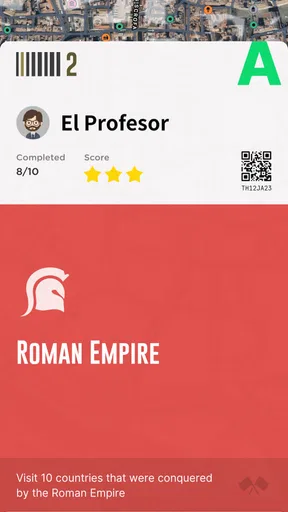
- Detailed statistics and achievements.
Limitations of Fog of World
- Requires constant GPS use.
- Limited features without purchase.
- Drains battery quickly.
- Occasional map inaccuracies.
- No built-in social features.
Similar Picks in This Category
View All
Google Maps
Google LLC3.4

Google Maps Go
Google LLC4.1

Booking.com: Hotels & Travel
Booking.com Hotels & Vacation Rentals4.8

Google Earth
Google LLC3.8

Skyscanner Flights Hotels Cars
Skyscanner Ltd4.8

trivago: Compare hotel prices
trivago N.V.4.4
Frequently Asked Questions
What is the main objective of Fog of World?
Fog of World is an exploration-based application that gamifies the experience of discovering new places. The main objective is to uncover the 'fog' on the map by visiting new locations. As you travel, the app records your journey, highlighting paths you've taken and areas you've explored, turning real-world travel into a game.
How does Fog of World track my travels?
Fog of World uses GPS technology to track your movements in real time. As you travel, the app records your path, adding to the map and clearing the fog. It’s important to have location services enabled and ensure your device has sufficient battery life, as continuous GPS usage can be demanding.
Is Fog of World available offline?
Yes, Fog of World offers offline functionality. While initial downloads and updates may require an internet connection, the app can track your travels and clear fog without connectivity. This makes it ideal for exploring remote areas where internet access may be limited or unavailable.
What privacy measures does Fog of World implement?
Fog of World prioritizes user privacy by storing travel data locally on your device rather than on external servers. This means your location data is not shared unless you choose to back it up manually or sync with other devices. Always review privacy settings to suit your preferences.
Can I share my progress in Fog of World with friends?
Yes, you can share your exploration achievements and maps with friends. Fog of World allows users to export their travel data and share it through various social media platforms or messaging apps. This feature makes it fun to compare progress and share travel experiences with others.
